
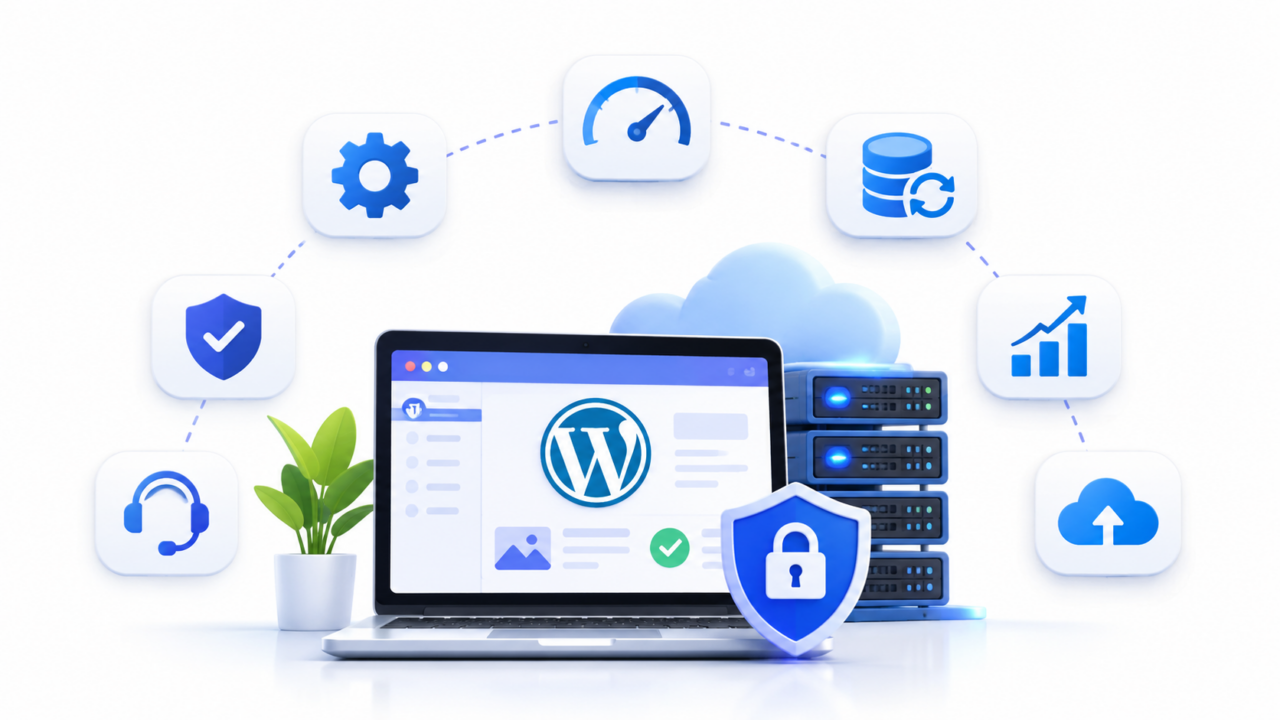
For many small businesses, a website is more than an online brochure. It is where potential customers discover services, submit enquiries, book appointments, purchase products, and build trust in a brand.
Yet, when choosing WordPress hosting, many business owners make the same mistake: selecting the cheapest hosting plan available.
A $3-per-month shared hosting plan might seem like a sensible way to reduce expenses. But what happens when your website suddenly stops working? What if a plugin update breaks your contact form, your website gets infected with malware, or your hosting server becomes unresponsive during an important sales campaign?
The initial savings can quickly disappear.
The real cost of hosting isn’t simply what you pay every month. It also includes the time spent maintaining your website, the cost of technical support, security tools, backups, troubleshooting, and potential business losses caused by downtime.
This is why managed WordPress hosting deserves serious consideration for small businesses.
In this guide, we’ll break down the actual costs of running a WordPress website, explain why DIY maintenance can become expensive, and explore how Tinave’s container-isolated WordPress hosting can help businesses simplify their hosting infrastructure.
Why Small Businesses Choose Cheap WordPress Hosting
When starting a business, every expense matters.
A small business owner might compare hosting providers and find shared hosting plans advertised for just a few dollars per month.
The decision seems straightforward:
- The website runs on WordPress.
- The hosting plan supports WordPress.
- SSL is included.
- The website loads.
- The monthly expense is minimal.
Why pay more?
The problem is that the initial hosting price doesn’t tell you everything about the infrastructure, support, maintenance requirements, or additional services you’ll need.
Traditional shared hosting places multiple websites on shared server infrastructure. Depending on the provider’s architecture and resource allocation, other websites on the same server can compete for CPU, memory, database capacity, and other resources.
This doesn’t mean every shared hosting service is unreliable. Shared hosting can be perfectly reasonable for personal blogs, development projects, and websites with limited operational requirements.
However, when your website becomes an important source of business enquiries or revenue, the consequences of infrastructure problems become more significant.
A website that generates ten customer enquiries every day cannot afford to be treated like an optional online project.
What Is the True Cost of Running a WordPress Website?
Let’s consider a typical small business website.
Imagine a local service company that uses WordPress to showcase its services, publish articles, collect customer enquiries, and generate leads.
The owner initially purchases inexpensive shared hosting and manages everything independently.
Over time, additional expenses begin to appear.
1. Basic Hosting Costs
The first expense is the hosting subscription itself.
Cheap shared hosting plans are attractive because of their low introductory prices. However, business owners should also consider renewal prices, billing commitments, resource limitations, and additional features.
A hosting plan that appears inexpensive initially may require separate purchases for backups, staging, security, or performance optimization.
2. Premium Security and Backup Tools
A business website should have a reliable backup and recovery strategy.
If your website experiences a server failure, accidental deletion, compromised credentials, or a problematic update, having a recent backup can make recovery significantly easier.
Depending on the hosting provider, you might need additional tools for:
- Automated website backups.
- Offsite backup storage.
- Malware scanning.
- Firewall protection.
- Security monitoring.
- Website recovery.
These services can introduce recurring expenses that weren’t included in the original hosting price.
3. Website Maintenance and Developer Costs
WordPress requires ongoing attention.
Core updates, plugin updates, theme compatibility, database maintenance, performance optimization, and troubleshooting all require time.
A business owner may initially handle these tasks independently.
But what happens when an update breaks the website?
You may need to contact a freelance developer or WordPress specialist.
Even a relatively small technical problem can consume several hours of business time.
If you regularly depend on external developers, maintenance becomes a recurring operational expense rather than an occasional inconvenience.
4. Performance Optimization
A slow website creates friction.
Visitors may leave before reading your services, submitting an enquiry, or completing a purchase.
Improving performance can involve:
- Page caching.
- Object caching.
- Image optimization.
- Database optimization.
- CDN configuration.
- PHP performance tuning.
- Server resource upgrades.
Some of these services are available through hosting infrastructure, while others require plugins, external services, or technical assistance.
The important point is to calculate the complete cost of keeping your website fast, rather than looking at the hosting subscription alone.
The Hidden Financial Cost of Website Downtime
Let’s move beyond hosting subscriptions and look at something more important: lost business.
Website downtime doesn’t always create an obvious financial loss.
A visitor who cannot access your website might simply leave without contacting you. You may never know that a potential customer was lost.
For businesses that depend on online enquiries, even a short outage can have consequences.
Consider this hypothetical example.
A small business receives:
- 1,500 website visitors every month.
- 3% of visitors submit an enquiry.
- 20% of enquiries become paying customers.
- Average customer value: $300.
This produces the following calculation:
| Metric | Monthly Value |
|---|---|
| Website visitors | 1,500 |
| Enquiry conversion rate | 3% |
| Monthly enquiries | 45 |
| Customer conversion rate | 20% |
| Paying customers | 9 |
| Average customer value | $300 |
| Potential monthly revenue | $2,700 |
Now imagine that the website experiences six hours of downtime during a period when visitors would normally be browsing and submitting enquiries.
For illustration, assuming traffic is distributed evenly throughout the month:
| Downtime | Estimated Lost Revenue |
|---|---|
| 1 hour | $3.75 |
| 6 hours | $22.50 |
| 12 hours | $45 |
| 24 hours | $90 |
| 3 days | $270 |
These figures are illustrative, not guaranteed losses. Actual losses depend on traffic patterns, customer behaviour, conversion rates, and whether visitors return later.
For an eCommerce business, the financial impact could be considerably higher during a sales campaign or seasonal shopping period.
The lesson is simple: website availability is a business consideration, not just a technical specification.
DIY WordPress Maintenance: How Much Does Your Time Really Cost?
One of the biggest misconceptions among small business owners is that maintaining a WordPress website is free when they do it themselves.
It isn’t.
Your time has an economic value.
Consider a business owner who spends approximately five hours every month maintaining their website.
These activities might include:
- Updating WordPress and plugins.
- Checking backups.
- Troubleshooting errors.
- Monitoring security alerts.
- Optimizing images.
- Checking website speed.
- Fixing broken pages.
- Contacting hosting support.
If the owner’s time is worth $20 per hour, the calculation looks like this:
[
5 \times $20 = $100
]
That’s $100 worth of business-owner time every month.
Over one year:
[
$100 \times 12 = $1,200
]
This doesn’t mean every business owner should hire a developer. It means that DIY maintenance has an opportunity cost.
Every hour spent troubleshooting hosting problems is an hour that could have been spent acquiring customers, serving existing clients, improving products, or growing the business.
For a small business owner, that difference matters.
What Does It Cost to Maintain a WordPress Website Properly?
Let’s compare the typical expenses involved in running a small business WordPress website.
The following is an illustrative budgeting exercise, not a universal market-price survey.
| Expense | Illustrative Monthly Cost |
|---|---|
| Basic shared hosting | $3 |
| Premium backup service | $12 |
| Security and firewall tools | $15 |
| Performance optimization tools | $10 |
| External uptime monitoring | $10 |
| Developer maintenance allowance | $40 |
| Total | $90/month |
The $40 developer allowance is a budgeting assumption, not a fixed market rate. Actual costs vary based on the website’s complexity and the amount of maintenance required.
Notice something important.
A $3 hosting subscription can turn into a $90 monthly operating budget once additional services and maintenance are considered.
And this still doesn’t account for major malware recovery, emergency development work, lost enquiries, or business interruption.
This is why comparing hosting providers solely on their advertised monthly prices can be misleading.
Managed WordPress Hosting vs Cheap Shared Hosting
Managed WordPress hosting aims to reduce the infrastructure and operational work associated with running a WordPress website.
Rather than expecting website owners to assemble every supporting service independently, a managed hosting platform can include infrastructure-level features such as automated backups, SSL, caching, monitoring, and staging.
Here is how the two approaches compare.
| Feature | Basic Shared Hosting | Managed WordPress Hosting |
|---|---|---|
| Server environment | Shared infrastructure | Depends on provider architecture |
| Website isolation | Varies by provider | May include dedicated containers |
| Automated backups | Plan-dependent | Often included |
| SSL certificates | Often included | Usually automated |
| Staging environment | Often unavailable or paid | Commonly included |
| Performance caching | May require plugins | May include server-level caching |
| Technical infrastructure monitoring | Varies | Commonly included |
| Migration assistance | Often self-service | May include managed migration |
| Maintenance responsibility | Mostly website owner | Shared between provider and owner |
One important distinction: managed hosting does not automatically mean that the provider maintains every WordPress plugin, theme, custom integration, and application feature.
Always check exactly which responsibilities are covered.
The right hosting provider should make infrastructure management easier without creating confusion about who maintains the actual website.
Introducing Tinave: Managed WordPress Hosting for Growing Businesses
Tinave approaches WordPress hosting differently from traditional shared cPanel hosting.
Instead of placing every website into a conventional shared hosting environment, Tinave uses container-isolated infrastructure designed to provide a more controlled hosting environment.
Each website operates within its own isolated container environment with designated resources based on its hosting plan.
This approach helps separate individual website workloads and reduces the resource contention associated with traditional shared environments.
For small businesses, the goal is straightforward: a more predictable infrastructure foundation without having to manage an entire server independently.
1. Dedicated Container Isolation
Traditional shared hosting environments can create resource contention between websites.
Tinave uses container isolation with allocated CPU, RAM, storage, and database resources.
This provides a more controlled environment for individual WordPress installations.
2. Daily Automated Offsite Backups
Backups are essential for business continuity.
Tinave includes daily encrypted offsite backups, with backup storage separated from the live hosting environment.
This gives website owners an additional recovery option if something goes wrong.
3. Automated SSL Certificates
Every business website should use HTTPS.
Tinave includes automated SSL certificate provisioning to simplify secure website configuration.
4. One-Click Staging Environment
Testing changes directly on a live business website can be risky.
With staging, you can create a separate environment to test updates, design changes, plugin compatibility, and other modifications before deploying them to production.
5. Unmetered Website Visits
Some managed WordPress hosting platforms use monthly visit allowances and charge additional fees when traffic exceeds the included limits.
Tinave’s listed plans include unmetered visits, subject to its fair-use network policy and underlying resource allocations.
This makes monthly visit-based overage billing less of a concern for growing websites.
Unmetered visits should not be confused with unlimited CPU, RAM, storage, or processing capacity.
6. Free Manual WordPress Migration
Moving an existing business website can be technically complicated.
Tinave offers free manual WordPress migration assistance for eligible customers, helping them transfer their existing installations to the new hosting environment.
The objective is to make switching hosting providers easier without requiring business owners to handle every technical step themselves.
How Much Does Tinave Cost?
Tinave keeps its hosting plans straightforward, with pricing based on the type of website and hosting requirements.
Here are the prices currently displayed on the official pricing page.
| Hosting Plan | Monthly Price | Designed For |
|---|---|---|
| Starter | $27/month | Business websites, blogs and portfolios |
| eCommerce Pro | $59/month | WooCommerce and FluentCart stores |
| Agency 5-Pack | $129/month | Agencies managing up to five websites |
Tinave Starter – $27/month
The Starter plan is designed for businesses that need a reliable WordPress hosting environment.
It includes:
- One WordPress website.
- 15 GB NVMe Gen4 storage.
- Unmetered visits and bandwidth, subject to fair use.
- One-click staging environment.
- Automated SSL.
- Daily S3 backups.
This plan is suitable for evaluating managed infrastructure for a corporate website, professional services website, business blog, or portfolio.
Tinave eCommerce Pro – $59/month
For businesses running online stores, the eCommerce Pro plan provides additional infrastructure features.
It includes:
- One WooCommerce or FluentCart store.
- Dedicated Redis cache.
- 30 GB NVMe Gen4 storage.
- Unmetered visits.
- One-click staging with two-way sync.
- High-concurrency PHP workers.
- Automated monitoring.
These features are designed for websites where database performance, dynamic carts, and checkout responsiveness are important.
Tinave Agency 5-Pack – $129/month
For agencies and consultants managing multiple client websites, the Agency 5-Pack provides:
- Up to five WordPress websites.
- Dedicated Redis cache per site.
- 60 GB NVMe Gen4 storage.
- Unmetered visits.
- Independent one-click staging environments.
This provides a consolidated hosting option for agencies managing multiple business websites.
Pricing note: These are the listed USD monthly prices, before applicable taxes. Plan availability and current billing terms should be confirmed on the official pricing page.
Is $27/Month Really Better Than $3/Month Hosting?
At first glance, paying $27 instead of $3 per month seems like a significant increase.
But let’s compare the two approaches.
| Cost Component | DIY Hosting Example | Tinave Starter |
|---|---|---|
| Hosting | $3 | $27 |
| Backup tool | $12 | Included |
| Security/network protection allowance | $15 | Included infrastructure protection |
| Caching tool | $10 | Included hosting caching |
| Migration allowance | $0–$10 | Included migration assistance |
| Staging tool | $8 | Included |
| Monitoring tool | $10 | Included automated monitoring |
| SSL | $0–$4 | Included |
| Illustrative total | $58–$62 | $27 |
This comparison uses illustrative standalone service costs, not a quote from a specific competing hosting provider. The actual cost of a DIY setup depends on the tools you choose.
It also excludes the owner’s time and any paid developer maintenance.
The point isn’t that every $3 hosting customer needs to spend $27.
A personal blog or a website with very little business activity may be perfectly comfortable on inexpensive shared hosting.
But if your website is an important business asset, comparing the total cost of ownership gives you a much better picture.
Does Managed WordPress Hosting Replace a WordPress Developer?
Not entirely.
This is an important distinction for small business owners.
Managed hosting primarily takes care of the hosting infrastructure and associated platform services.
A WordPress developer or maintenance specialist may still be needed for:
- Custom website development.
- Theme customization.
- Plugin compatibility troubleshooting.
- Website redesigns.
- Custom integrations.
- Application-level malware cleanup.
- SEO implementation.
- Advanced WooCommerce customization.
Tinave’s hosting infrastructure and included services reduce the need to independently manage certain infrastructure tools and operations. They do not replace every form of WordPress development or application maintenance.
For businesses with custom-built websites, this distinction is especially important.
You can use managed hosting while retaining your existing developer or website maintenance partner.
When Should a Small Business Upgrade to Managed WordPress Hosting?
Not every business needs premium hosting from day one.
However, there are several situations where upgrading becomes worth considering.
Your website generates customer enquiries.
If potential customers regularly contact you through your website, availability and performance become important business considerations.
You operate an online store.
A WooCommerce website requires additional attention to database operations, customer sessions, payment integrations, and checkout functionality.
Your website is becoming slower.
If your website regularly struggles with resource limits or traffic increases, reviewing your hosting infrastructure is a sensible next step.
You depend on your website for marketing.
Businesses investing in SEO, Google Ads, social media advertising, and content marketing need a website that can reliably receive the visitors they attract.
You don’t want to manage hosting infrastructure yourself.
If you prefer spending time on your business rather than configuring server tools and monitoring hosting resources, managed infrastructure may be a better fit.
Frequently Asked Questions
1. What is the best WordPress hosting for small businesses?
The best hosting depends on your website’s traffic, technical requirements, budget, and support needs. Small informational websites may work well on shared hosting, while business-critical websites can benefit from managed WordPress hosting with isolation, backups, staging, and monitoring.
2. How much should a small business spend on WordPress hosting?
There is no universal budget. A simple website may only need inexpensive shared hosting. Businesses that depend on their website for leads, bookings, or sales should evaluate managed hosting based on total operating costs rather than the subscription price alone.
3. Is cheap WordPress hosting bad for business websites?
Not necessarily. Cheap hosting can work for websites with modest traffic and limited operational requirements. However, businesses should evaluate resource allocation, backup policies, security features, renewal costs, and support availability before choosing a plan.
4. What happens if my business website goes down?
Visitors may be unable to access your website, submit enquiries, or complete purchases. Depending on the duration and timing of the outage, you may lose potential customers and revenue. Monitoring and a reliable recovery plan help reduce the impact.
5. Does managed WordPress hosting include website maintenance?
This depends on the provider. Managed hosting generally includes infrastructure-related services, but plugin updates, theme maintenance, custom development, and application-level troubleshooting may remain the website owner’s responsibility.
6. Is managed WordPress hosting worth it for a small business?
It can be worthwhile when your website contributes directly to business operations. Features such as automated backups, staging, SSL, monitoring, and isolated resources can reduce the time and effort required to manage the hosting environment.
7. Can I move my existing WordPress website to Tinave?
Yes. Tinave offers free manual WordPress migration assistance for eligible customers. The migration process can help transfer your existing WordPress installation to the Tinave hosting environment.
8. Does Tinave charge extra when my website gets more visitors?
Tinave’s listed plans include unmetered visits and bandwidth, subject to its fair-use network policy. However, CPU, RAM, storage, and other infrastructure resources still have allocated limits.
9. Does Tinave provide automatic backups?
Yes. Tinave includes daily encrypted offsite backups, with backups stored separately from the live hosting environment.
10. Is Tinave suitable for WooCommerce websites?
Tinave offers a dedicated eCommerce Pro plan designed for WooCommerce and FluentCart websites. It includes dedicated Redis caching, higher-concurrency PHP workers, staging, and automated monitoring.
Final Thoughts: Stop Treating Your Business Website as a $3 Expense
Your website is often the first interaction a potential customer has with your business.
It represents your brand, communicates your services, generates enquiries, and sometimes processes payments.
Choosing hosting based entirely on the lowest monthly price can overlook the real costs of maintaining that website.
The time you spend troubleshooting technical problems, the tools you purchase separately, and the potential revenue lost during an outage all contribute to the total cost of ownership.
Managed WordPress hosting offers a way to simplify infrastructure management while giving your website a more controlled environment.
Tinave brings together container-isolated hosting, daily offsite backups, automated SSL, staging, unmetered visits, and free manual migration assistance.
If your website is an important part of your business, it deserves infrastructure that reflects its value.
Spend less time managing hosting. Spend more time growing your business.
Explore Tinave’s WordPress hosting plans and find the right infrastructure for your business.